SVG vs PNG vs JPG vs EPS Icons: What Format Should You Use?
Learn the difference between SVG, PNG, JPG, and EPS icons and choose the best format for UI design, websites, apps, and commercial projects.
Apr 16, 2026 • 3 min read
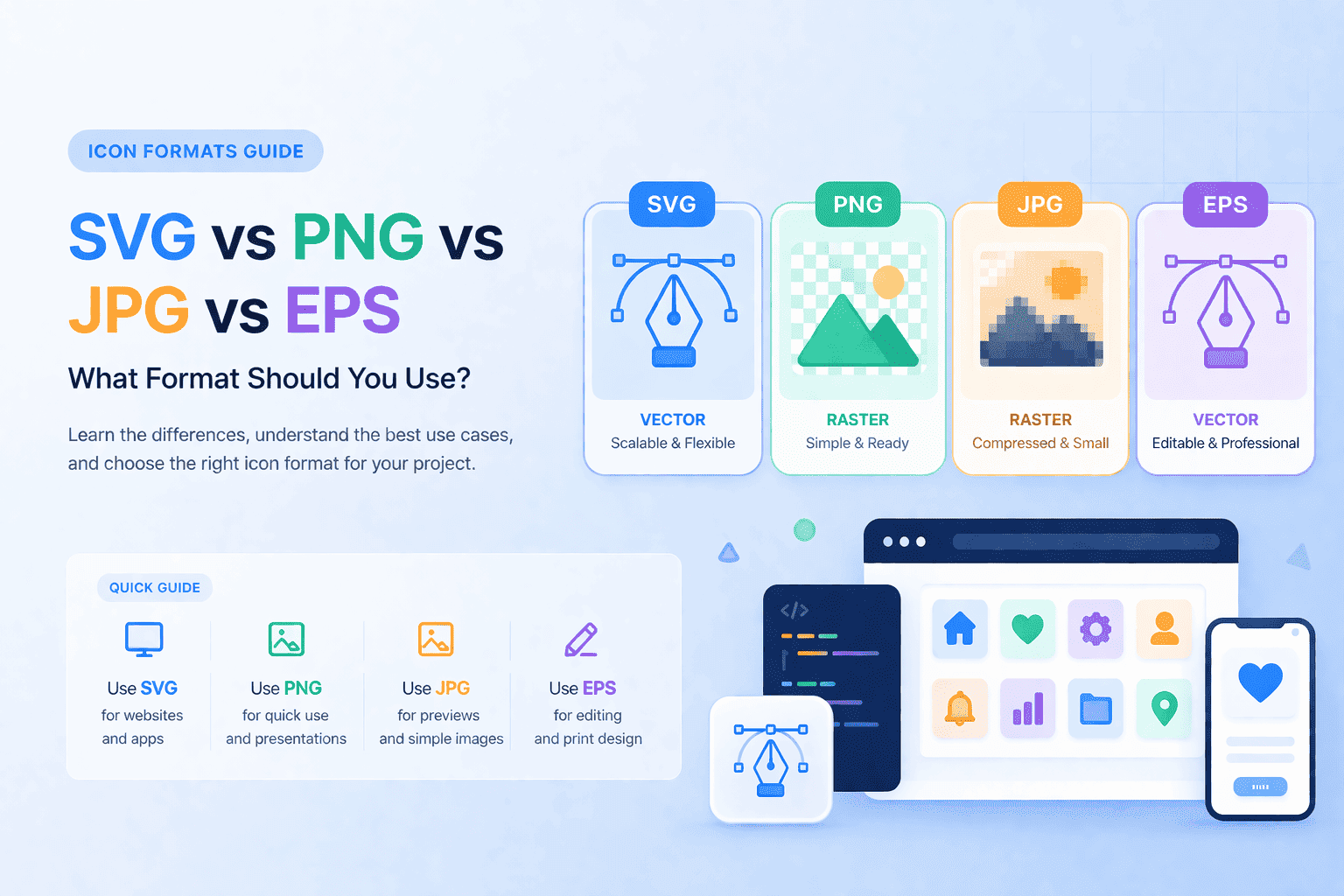
Choosing the right icon format can significantly impact performance, scalability, and overall design quality. Whether you're working on a website, mobile app, or SaaS product, understanding the differences between SVG, PNG, JPG, and EPS icons helps you make better decisions.
SVG Icons (Best for UI and Web Design)
SVG (Scalable Vector Graphics) is the most flexible format for modern interfaces.
Advantages of SVG:
- infinitely scalable without quality loss
- lightweight and fast-loading
- can be styled with CSS
- perfect for responsive design
SVG icons are ideal for:
- websites and landing pages
- dashboards and admin panels
- SaaS interfaces
If you're building UI components, SVG should usually be your first choice. You can explore ready-to-use SVG icons for modern interfaces.
PNG Icons (Best for Simplicity)
PNG is a raster format that works well when you need a quick, ready-to-use image.
Advantages of PNG:
- simple to use
- supports transparency
- widely supported
PNG icons are useful for:
- presentations
- quick mockups
- basic UI elements
However, PNG does not scale well. For more flexible usage, consider switching to vector formats from the icon library.
JPG Icons (Limited Use Cases)
JPG is rarely used for icons but can be useful in specific situations.
When to use JPG:
- previews
- background visuals
- non-transparent assets
Because JPG does not support transparency and compresses aggressively, it's not suitable for most UI icon use cases.
EPS Icons (Best for Designers)
EPS is a vector format commonly used in professional design tools.
Advantages of EPS:
- fully editable in vector software
- ideal for print and production
- high precision
EPS is best for:
- branding work
- print design
- advanced editing
Designers often download icons in EPS format and convert them depending on project needs.
How to Choose the Right Format
Here is a simple way to decide:
- use SVG -> for websites and apps
- use PNG -> for quick use or presentations
- use JPG -> only for previews
- use EPS -> for editing and design work
Most modern projects rely heavily on SVG because of flexibility and performance.
Build a Consistent Icon Workflow
Using mixed formats from random sources often leads to inconsistent design.
A better approach is to use a single, structured library where icons:
- follow the same visual style
- are available in multiple formats
- are easy to reuse across projects
Vectizon is designed exactly for this purpose -- helping you find consistent icons faster.
Start Using Icons in Your Projects
You can browse icons by category, style, and use case to quickly find what you need.
- Explore icons by categories
- Discover icons for UI in technology
- Try icons for different projects and workflows
If you need full access to all formats and assets, you can view the available pricing plans.
Choosing the right format is just the first step -- using consistent, high-quality icons will make a much bigger difference in your final design.
Related Articles
Explore by Tags
Popular Categories
Ready to use better icons in your UI?
Download free icons, or unlock unlimited premium packs for product, web, and SaaS workflows.